
Google Workspace vs Traditional Email Hosting: What Should You Choose?
 eglueadmin
 October 4, 2026



 eglueadmin
October 4, 2026
eglueadmin
October 4, 2026
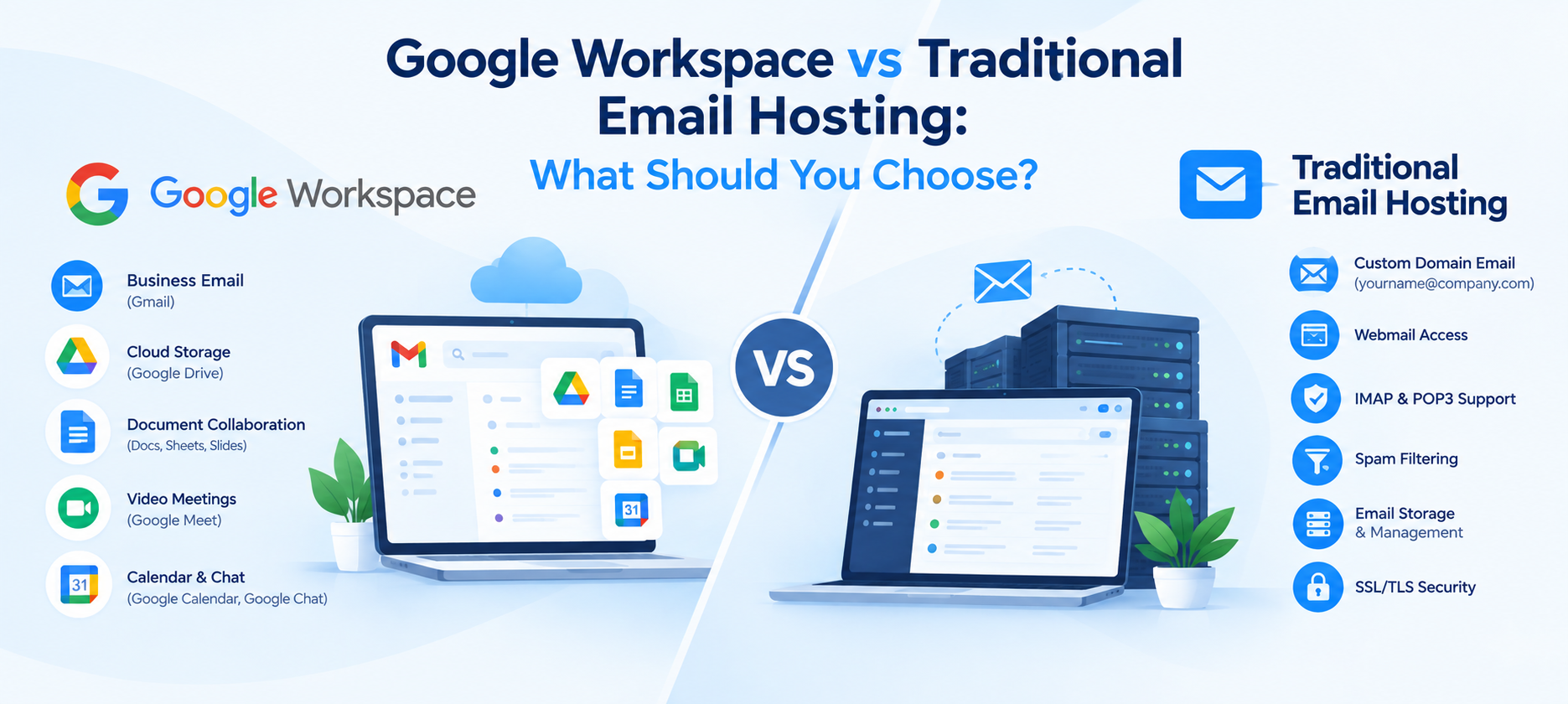
Choosing the right email solution is important for every business. A professional email address such as name@yourbusiness.com builds credibility, improves communication, and helps businesses maintain control over their email accounts.
Two common options are Google Workspace and traditional business email hosting. Although both allow businesses to use a custom domain email address, they are designed for different requirements.
So, which should you choose?
Google Workspace is generally suitable for businesses that need integrated productivity and collaboration tools, while traditional email hosting can be a practical choice for businesses that mainly need professional email at a lower cost.
Google Workspace is Google’s cloud-based productivity platform that combines business email with collaboration and productivity applications.
A Google Workspace subscription can provide access to services such as:
Businesses can use their own domain with Gmail, allowing employees to send and receive messages using professional addresses such as info@company.com or sales@company.com.
Traditional email hosting provides email services using your own business domain. Your hosting provider manages the email infrastructure, while you access your mailbox through an email application or webmail interface.
For example:
yourname@company.com
Depending on the hosting provider and plan, business email hosting may include features such as:
This option can work well for businesses that primarily need reliable professional email without requiring a complete productivity platform.
The biggest difference is that Google Workspace is more than an email service. It combines email with cloud storage, document editing, video meetings, calendars, and collaboration tools.
Traditional email hosting focuses primarily on email communication.
| Feature | Google Workspace | Traditional Email Hosting |
| Custom domain email | Yes | Yes |
| Professional business email | Yes | Yes |
| Webmail | Gmail | Usually available |
| Cloud storage | Included depending on plan | Depends on provider |
| Document collaboration | Yes | Usually not included |
| Video meetings | Yes | Usually not included |
| Business calendar | Yes | May be available |
| Email applications | Yes | Yes |
| Cost | Usually higher | Often more affordable |
| Best suited for | Collaborative businesses | Businesses focused mainly on email |
Google Workspace can be useful when employees need to work together on documents, spreadsheets, presentations, calendars, and meetings.
Employees can create and edit documents, spreadsheets, and presentations while collaborating online.
Multiple team members can work on files without repeatedly sending attachments back and forth.
Employees can access their business email and files from supported devices with an internet connection.
Businesses that already use Gmail may find the interface familiar and easy to adopt.
Businesses with remote or hybrid teams can benefit from integrated communication and collaboration tools.
Google Workspace may not be necessary for every business. If a company only needs basic domain-based email, paying for a larger productivity suite may provide features the business does not actually use.
If your main requirement is sending and receiving professional emails, traditional email hosting provides the core functionality without requiring a full productivity ecosystem.
For businesses with many email accounts and straightforward requirements, traditional email hosting may be a more economical option.
Businesses can create professional email addresses using their own domain.
For example:
Depending on the hosting service, users can access email through webmail, desktop applications, and mobile email applications.
Traditional email hosting usually does not provide the same integrated ecosystem as Google Workspace.
Depending on the provider, you may not have built-in access to tools such as collaborative documents, spreadsheets, cloud storage, or video conferencing.
There is no single solution that is right for every business.
A small business that mainly needs professional email may find traditional email hosting sufficient.
For example, a local business with 5–10 employees that mainly uses email for customer enquiries, invoices, appointments, and internal communication may not require an extensive collaboration platform.
On the other hand, a growing company where employees frequently share documents, conduct online meetings, manage calendars, and collaborate on spreadsheets may benefit from Google Workspace.
Google Workspace can be particularly useful for businesses with remote or hybrid employees because email, calendars, cloud files, documents, and meetings can be managed within one ecosystem.
Traditional email hosting can still support remote employees, but additional services may be required for document collaboration, cloud storage, and online meetings.
Cost depends on the number of users, storage requirements, features, support, and the specific provider.
Traditional email hosting is often suitable when the primary requirement is professional email.
Google Workspace generally costs more because the subscription includes email along with additional productivity and collaboration services.
Instead of choosing based only on monthly price, businesses should consider the total value of the services they actually need.
Businesses in Kerala have different email requirements depending on their size and industry.
A small local business may only need professional email accounts for sales, customer support, and administration.
A growing IT company, digital agency, educational organization, or distributed team may need cloud collaboration, shared documents, video meetings, and centralized file access.
When comparing providers, businesses should check:
Businesses looking for local assistance can also consider a Google Workspace Partner Kerala for setup, migration, configuration, and ongoing support.
Yes.
Traditional email hosting remains useful for businesses whose primary requirement is professional domain-based email.
For example, a company may only need:
employee@company.com
with reliable email delivery, spam filtering, webmail access, and mobile/desktop compatibility.
In such cases, a dedicated business email hosting service can provide the required functionality without adding unnecessary productivity tools.
Google Workspace may be suitable if your business:
Traditional email hosting may be suitable if your business:
Moving from traditional email hosting to Google Workspace, or moving between email hosting providers, requires proper planning.
A typical migration process includes:
A properly planned migration helps reduce downtime and minimize the risk of losing important business emails.
Security should be a major consideration when selecting an email solution.
Businesses should look for features and practices such as:
Email security is especially important because business accounts can contain customer information, invoices, contracts, credentials, and other sensitive business communications.
The choice between Google Workspace and traditional email hosting depends on what your business actually needs.
If your priority is professional email with a simple and cost-conscious setup, traditional email hosting can be a practical option.
If your business needs email combined with cloud storage, document collaboration, online meetings, calendars, and other productivity tools, Google Workspace may be more appropriate.
Before choosing a service, compare the number of users, storage requirements, security features, collaboration needs, migration requirements, support, and total cost.
For businesses that need professional email services, migration assistance, or guidance choosing an email platform, Business Email Hosting Kerala solutions can be evaluated based on your specific business requirements rather than choosing a platform solely because it is popular.